
How to get a parallax wallpaper on Mac
macOS has no parallax wallpaper setting. System Settings offers still pictures, Dynamic Desktop and aerial videos, and none of them follows the pointer. Walyro, an app for macOS 14 or later, turns your own photo into a parallax wallpaper. The near parts lean toward your pointer more than the far ones, and the photo drifts while the pointer rests.
Photo parallax at a glance
A parallax wallpaper splits a picture into layers that move by different amounts. Move the pointer and the front layer shifts more than the ones behind it, so a flat photo starts to look deep. iPhone owners know the effect from the Lock Screen, where tilting the phone drives it.
On a Mac, System Settings puts your own photo on the desktop only as a still picture. Walyro works out which parts of the photo sit near and which sit far, then moves the near parts further as the pointer crosses the screen. When the pointer rests, the photo drifts on its own.
- Built into macOS
- No. Wallpaper settings offer stills, Dynamic Desktop and aerial videos
- What moves it
- Your pointer, plus a slow drift when the pointer rests
- Where photos come from
- Your Photos library, Finder, or a drag onto All Videos
- Formats
- Images macOS can open, including iPhone HEIC, JPEG and PNG
- Smallest photo
- 640 pixels on the longer side
- Settings
- Depth, Motion, Brightness, and Fit or Fill framing
- Your photo
- Read on your Mac and never uploaded
- Requires
- macOS 14 or later
How to set a parallax wallpaper on Mac
You need Walyro from the Mac App Store and a Mac with macOS 14 or later. Any photo works, and one with a person, a pet or an object in front moves the most.
Open Scenes and click Your Photo
Your Photo is the first card in Scenes. Choose Photos to pick from your library, or Finder to pick an image file. You can also drag a photo onto All Videos.
Wait while Walyro reads the photo
Walyro shows "Reading your photo…" for a second or two while it sorts the near parts from the far ones.
Frame the picture
Fill covers the whole display. Drag the photo to choose which part shows, and double-click to center it again. Fit shows the whole photo and fills the edges with a blurred copy of it.
Set it as your wallpaper
Click Set wallpaper to put the photo on every display. To use a single display, choose it at the top of the window first. Save to All Videos keeps the photo in your library for later.


4.7 out of 5 · 95 ratings on the Mac App Store
Which photos give the strongest parallax
The depth comes from distance inside the photo. Walyro looks for something standing in front, like a person, a pet or a building. It also looks for ground that runs from near to far. A photo with both moves the most.
A photo with nothing in front and no visible distance, like a wall or an empty sky, moves as one layer. The bottom shifts a little more than the top, so you get motion without much depth.
- A person on a ridge or a beach, a pet with room behind it, or a house against the sky gives a strong effect.
- A road, a shoreline or a valley running into the distance works well too.
- Crowds, busy patterns and photos taken square-on to a wall move less.
- Walyro accepts photos from 640 pixels on the longer side. A photo close to your screen's resolution looks sharper on a Retina display, and an iPhone photo has enough pixels for most displays.
Adjust depth, motion and brightness
Click Adjust in the photo window. The preview leans when your pointer moves over it, so you can judge each change before you set the wallpaper.
- Depth sets how far the near and far parts travel apart. Lower it if the area around the front of the photo starts to look soft.
- Motion sets how fast the photo drifts while the pointer rests.
- Brightness dims the photo, so icons and the menu bar stay readable over a bright picture.
- Follow the pointer and Move on its own turn each kind of motion on or off.
- Quieter while you work calms the photo when windows fill the desktop.
Use it on several displays and in playlists
The photo leans only on the display where your pointer is. Your other displays keep the slow drift until the pointer reaches them.
A saved photo sits in All Videos next to your videos and Scenes. Add it to a playlist to rotate it with them, or keep it on one display while another plays a video.
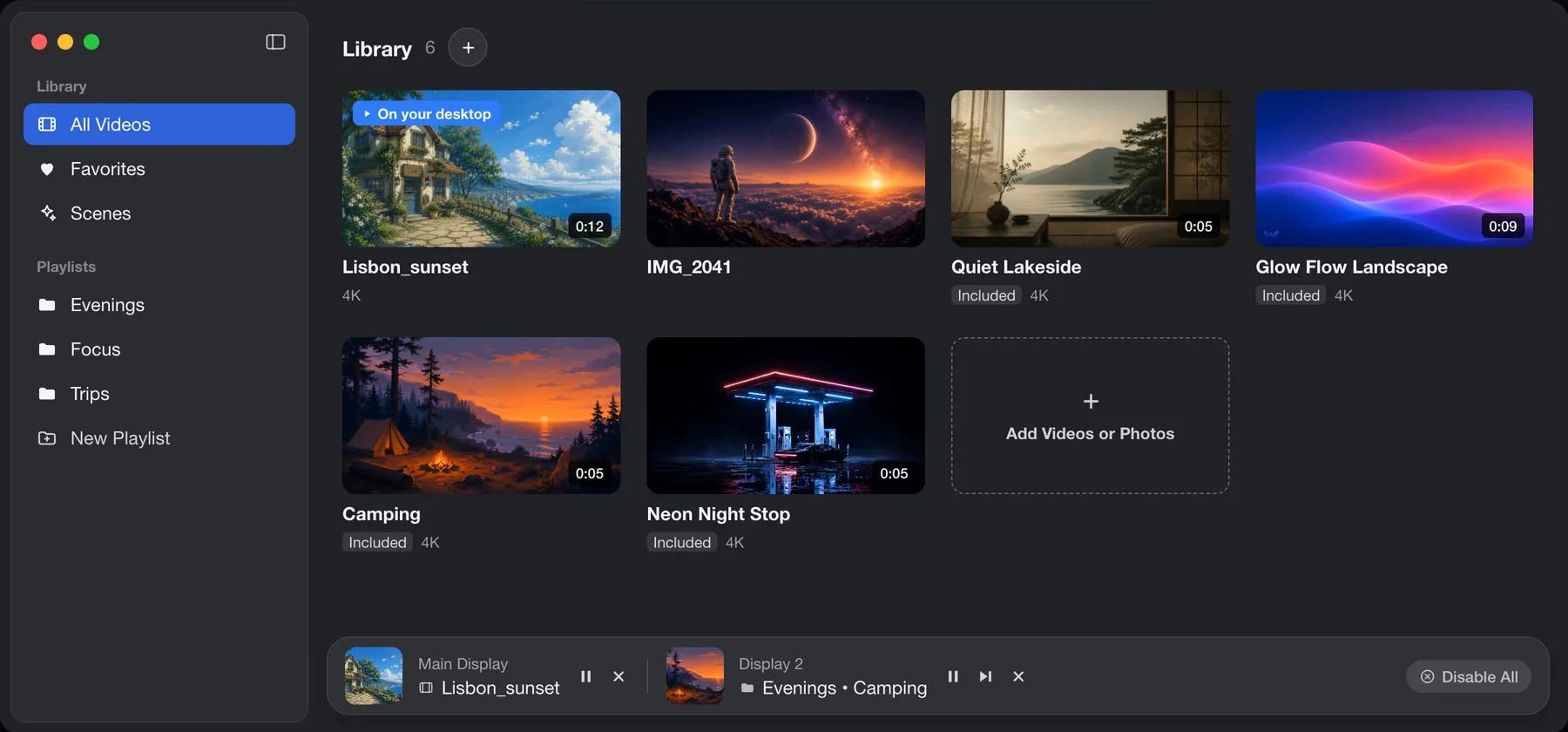
Photo scene or 3D zoom video?
Phone apps and video editors can export a photo as a short 3D zoom clip, with the camera move baked into the file. Walyro can play that clip as a video wallpaper. It can also move the photo itself as you move the pointer.
Follows the pointer
- Photo scene in Walyro
- Yes
- 3D zoom video
- No
Motion while the pointer rests
- Photo scene in Walyro
- A slow drift you can speed up, slow down or switch off
- 3D zoom video
- The clip's camera move, on repeat
Made from
- Photo scene in Walyro
- Any photo you pick
- 3D zoom video
- A clip exported from another app
Change the depth later
- Photo scene in Walyro
- Drag the Depth slider
- 3D zoom video
- Export a new clip
Plays in Walyro
- Photo scene in Walyro
- Yes
- 3D zoom video
- Yes
A different one on each display
- Photo scene in Walyro
- Yes
- 3D zoom video
- Yes
Common questions
Is this the same as the iPhone's spatial scene wallpaper?
It is the same idea with a different control. On iPhone 12 or later with iOS 26, a spatial scene responds to the phone moving in your hand, and only certain photos qualify. A Mac sits still on the desk, so Walyro follows your pointer instead. It builds the layers from any photo you pick.
Can I use Wallpaper Engine's parallax wallpapers on a Mac?
No. Wallpaper Engine runs on Windows, and its scene wallpapers with mouse parallax don't install on macOS. On a Mac you can get the effect from your own photo in Walyro. The Wallpaper Engine for Mac guide covers the other options.
Does Walyro upload my photo?
No. Walyro builds the layers on your Mac and keeps them in its own folder there. You don't need an account.
Why does my photo move as one flat piece?
Walyro found nothing in front and no clear distance in that photo, so it moves the whole picture as one layer. Try a photo with a person, a pet or an object in the foreground, or a landscape that runs into the distance.
Does a parallax wallpaper use more battery?
Any moving wallpaper uses some power. Turn on Quieter while you work to calm the photo when windows fill the screen, or switch off Move on its own so it moves only with your pointer. Walyro also pauses when the screen locks or the display sleeps, and in Low Power Mode if you turn that option on.
Is it free?
Walyro is free to download, and the free version includes photo scenes. A one-time purchase lifts the free version's limits, with no subscription and no ads.
Sources & further reading
Start with a photo you already have
Pick a picture with something in front, set it on your desktop and move the pointer. Walyro runs on macOS 14 and later.
4.7 out of 5 · 95 ratings on the Mac App Store