
Live wallpaper for Mac from your own videos
Walyro turns MP4, MOV, and M4V files into live wallpaper on macOS 14.0+, keeps playback offline, and lets you target all displays, the main display, or one selected screen.
Why Mac users choose Walyro
Live wallpaper on Mac works best when you can use your own footage without turning the desktop into another cloud service. Walyro is a macOS 14.0+ app that turns MP4, MOV, and M4V files into live wallpaper, keeps playback local, and puts everyday controls in the menu bar and Now Playing.
It picks up where Apple's built-in scenes stop. You can start with built-in starter videos, preview how each clip sits behind the desktop, and choose whether it should run on all displays, the main display, or one selected screen.
- System requirement
- macOS 14.0+
- Privacy
- All videos and wallpaper data stay on your Mac
- Setup
- Built-in starter videos plus your own local files
- Control
- Menu bar actions, Now Playing controls, and Low Power Mode support
- Formats
- MP4, MOV, and M4V; H.264 or HEVC plays best
- Purchase
- One-time purchase, no subscription or ads
Start with built-in videos or your own footage
Walyro includes a small starter pack of built-in videos, so you can see the effect right away instead of hunting for files first.
When you want a more personal desktop, import clips from Finder or add them through the import flow. Your wallpaper library stays on your Mac, easy to manage and ready to reuse across different setups.
- Built-in starter clips are ready on first launch
- Finder import works with your own local videos
- No account setup or cloud sync is required
Preview the desktop before you set it
Instead of throwing a video straight onto the desktop, Walyro lets you preview it in a Mac-style desktop mockup first. You can check how the clip feels behind windows, the menu bar, and the dock before you commit.
The preview also lets you pick Fit, Fill, or Crop and choose whether the wallpaper should go to all displays, the main display, or a specific screen. That makes the result more predictable, especially on ultrawide or multi-monitor setups.
Keep motion under control during the day
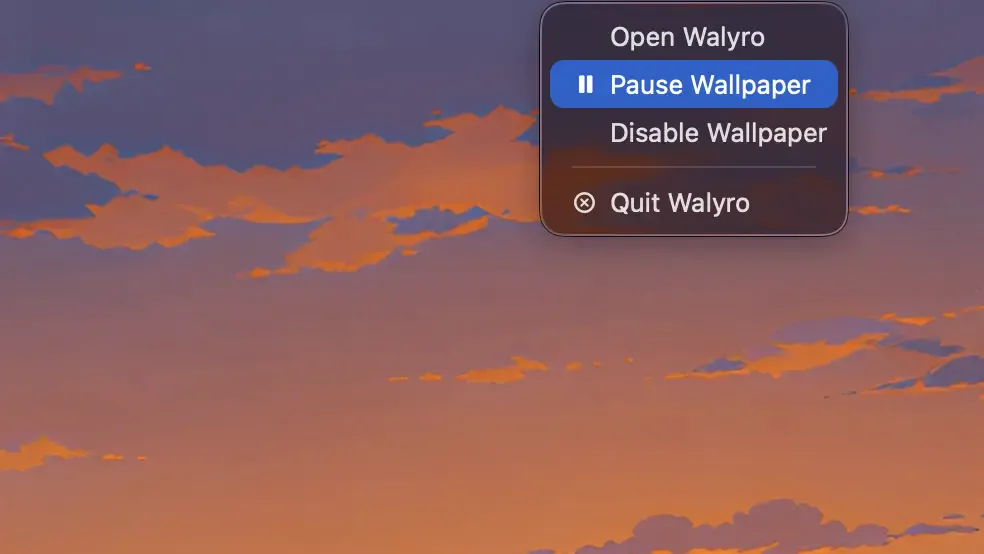
A live wallpaper should feel atmospheric, not distracting. Walyro keeps playback muted by design and gives you quick controls from the menu bar and the Now Playing area, so pausing, resuming, or clearing wallpaper takes a second.
If you want the app to back off while your Mac is conserving power, it can respect Low Power Mode too. That keeps the experience aligned with macOS instead of fighting system behavior.
- Muted playback by default
- Pause or clear wallpaper quickly
- Works with one display or several
A better fit for personal footage and creative work
Walyro is built for the clips you already care about: travel footage, a rendered loop, the ambient motion you keep coming back to. Nothing gets in the way of the video itself.
Common questions
Does Walyro need internet access to keep live wallpaper running?
No. Once your videos are in the app, playback works locally on your Mac with no cloud dependency.
Can I start with built-in videos before importing my own?
Yes. Walyro includes built-in starter videos so you can try the experience right away.
Can I use live wallpaper on more than one display?
Yes. You can target all displays, the main display, or one specific screen.
Which macOS versions are supported?
Walyro requires macOS 14.0 or later.
Sources & further reading
Bring motion to your Mac without a cloud library
Start with built-in videos, add your own clips, and keep the whole setup local from day one.

4.7 out of 5 · 95 ratings on the Mac App Store