

Make your setup feel alive
Subtle motion turns any clip into a moving background wallpaper, and it suits a second monitor
Start with built-in videos or your own clips, and keep your desktop personal without the clutter.
A private, offline live wallpaper maker for your Mac
Subtle motion turns any clip into a moving background wallpaper, and it suits a second monitor
Your videos never leave your Mac, and there is no account to create
Pause or switch wallpapers anytime from your menu bar
A trip, a rainy window, a clip you keep going back to — it becomes your desktop
Everything you need for beautiful video wallpapers on your Mac

Preview
Check how a clip feels behind windows, choose Fit, Fill, or Crop, and target all displays, the main display, or a specific screen.
Set a different video wallpaper on each monitor, or mirror the same scene across all displays. Keep your main display minimal and set a calm loop on your second screen. Your choice.
Pause motion when you need focus. Navigate, shuffle, and control all from your menu bar and Now Playing panel. One click to pause, play, or switch videos.
Group your videos into Playlists that shuffle, repeat, and loop automatically instead of behaving like plain folders. Everything stays offline with your own videos and the built-in starter pack.
Turn cinematic video into a live desktop, or bring your own clips. Here's a taste of what Walyro can play.

Aerial drone footage that drifts across the desktop.
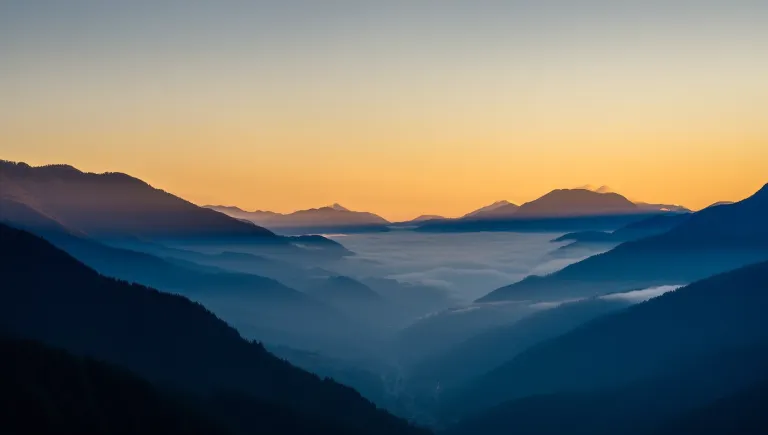
Slow fog rolling through the valley, all day long.

A living night sky reflected on a mirror lake.
I never thought an app could make me happy every time I open my laptop. A friend recommended this one, and now my wallpaper is a video of my late dog running around the yard. Such a small thing, but it genuinely makes my day better. If you've got a video that makes you happy, you can now turn it into your wallpaperBest part is setting my own clips as live wallpaper, not some preset gallery. Quick setup, doesn't spin up the fans, and my videos stay on my Mac. Would like a bit more fullscreen control, but no complaints for the price.set my own video as wallpaper in under a minute. smooth playback, no lag on external display. solid appWalyro is easy to use and does exactly what it promises. It's nice that I can set any of my own videos as wallpaper. Desktop now feels much more alive.Simple to use and works great. I like that I can add my own clips. It makes my Mac desktop feel more personal.Pick the guide that matches what you're trying to do.
If you just want a moving background on Mac, Walyro lets you use local video files, keep motion subtle, and pause it the second your desktop needs to feel quiet again.
Wallpaper Engine runs on Windows. On macOS, Walyro plays your own videos as wallpaper and draws four generated scenes that need no video, with Playlists and per-display controls for both.
Walyro lets you set a separate video or Playlist on each display, pause one screen without touching the others, and manage all displays, the main display, or one selected monitor from the same workflow.
Walyro turns MP4, MOV, and M4V files into live wallpaper on macOS 14.0+, keeps playback offline, and lets you target all displays, the main display, or one selected screen.
On a Mac, Apple uses the name dynamic wallpaper for its time-of-day photos. Walyro's scenes do the same job with motion: their colours shift through the day while the scene keeps moving. You can play your own videos too.
Turn rendered loops, exported motion graphics, and short animation clips into animated wallpaper on macOS with local playback and per-display control.
Import MP4, MOV, or M4V clips from Finder, preview them on a Mac-style desktop, and keep them in a local wallpaper library where Playlists can rotate through saved sets over time.
Group your local clips into Playlists, rotate them in order or on shuffle, and keep playback fully offline on macOS.
If you search for live desktop wallpaper, you usually want a moving desktop background you control yourself. Walyro turns local videos into that kind of Mac desktop setup without relying on a wallpaper marketplace.
Walyro helps you run subtle live backgrounds on a MacBook, MacBook Air, or MacBook Pro with local MP4, MOV, and M4V files, quick pause controls, and support for external displays.
Changing your desktop background on macOS takes about a minute in System Settings. This guide covers every built-in option (a still picture, Apple's dynamic scenes, and aerial screen savers), then shows how to set your own video as a live wallpaper.
macOS ships with aerial screen savers that keep moving, and it can push one onto the desktop. The moment you want your own footage instead of Apple's, you need a different tool.
System Settings turns video files away. Walyro takes the same MP4, loops it behind your desktop, and lets you decide which display it lands on.
Work down the list in order. The first four checks account for nearly every case, and each one takes a few seconds to rule out.
Wallpaper Engine does not run on macOS, and no Mac app replaces all of it. Here is what the category actually offers, and how to work out which part you need.
The phrase gets used for three genuinely different features, which is why the answer you find often does not match the thing you wanted. Here is each one, plainly.
Short answer: yes, some. The useful answer is which parts of a live wallpaper actually cost power, because most of the difference comes down to choices you control.
Lively is a genuinely good free app, and it is Windows-only. This page covers why a Mac version is unlikely, and which parts of the Lively workflow you can get on macOS.
See four scenes your Mac draws in real time, learn how to set one as your wallpaper, and adjust its colours, motion and power use.
Turn a photo you already have into a desktop that leans toward your pointer, and learn which photos give Walyro the most depth to work with.
Go from video to wallpaper in three simple steps.
Import your own videos (drag & drop or add files). Use the built-in offline starter pack, or add your own.
Set a different wallpaper on each monitor, or mirror the same scene across all displays.
Quick controls from the menu bar. Use the Now Playing panel to pause, play, or switch videos.
Common formats like MP4, MOV, and M4V. Use your own videos or the built-in starter pack.
Best results with videos at your display's native resolution. Lower quality videos will scale but may appear softer.
Yes. Build a Playlist from your videos and Walyro will rotate them automatically, in order or on shuffle, without swapping wallpapers by hand.
No online library. Nothing is streamed. Use the built-in offline pack + your own videos.
Open Walyro, drag in any MP4, MOV, or M4V video (or pick one from the built-in offline starter pack), and it becomes a live wallpaper instantly, with no editing or converting first. Walyro works as a simple live wallpaper maker: any clip you add turns into a moving wallpaper on the display you choose.
Add a video to Walyro, then set it on all displays, your main display, or one selected screen. You can pause, switch, or shuffle your live wallpaper anytime from the menu bar or the Now Playing panel.
Not today. Walyro plays local files: a built-in starter pack plus any videos you add. Whatever is in your library stays on your Mac, and your own videos are never uploaded.
Walyro supports MP4, MOV, and M4V files. For best results, use H.264 or HEVC encoded videos at your display's native resolution.
Lower quality videos will scale but may appear softer or pixelated on high-resolution displays. For best results, use videos that match your display's native resolution (for example, 2560x1440 for 2K displays or 3840x2160 for 4K displays).
Yes. Build a Playlist from your local videos and Walyro can rotate it in order or in shuffle mode, so your desktop cycles automatically instead of staying on one clip.
Yes for wallpapers: playback works fully offline, and your videos, library, and settings always stay on your Mac, so none of your content is uploaded. To help improve the app, Walyro does send anonymous product analytics and anonymous crash reports by default. Both are optional — you can turn each off anytime in Settings under "Share anonymous product analytics" and "Send anonymous crash reports".
Video playback uses system resources like CPU and GPU. Impact varies by hardware, video resolution, and codec. Pause wallpapers anytime from the menu bar to free up resources. Modern Apple Silicon Macs handle efficient video wallpapers well.
Yes. The built-in offline starter pack lives alongside your own imported clips, so you can mix both in the same library and the same Playlists.
Today Walyro is a one-time purchase on the Mac App Store. Whatever you buy stays yours.
Current product requirements set Walyro at macOS 14.0+. We recommend using the latest macOS version for the best experience.
Yes. Walyro supports multi-display setups with independent control per display.
Yes. Walyro works on MacBook setups running macOS 14.0+, so you can use your own clips as subtle moving wallpaper or keep a live wallpaper setup on your built-in display and external monitors.
Yes. Each display can have its own wallpaper and playback settings. Control them independently from the menu bar or Now Playing panel.